
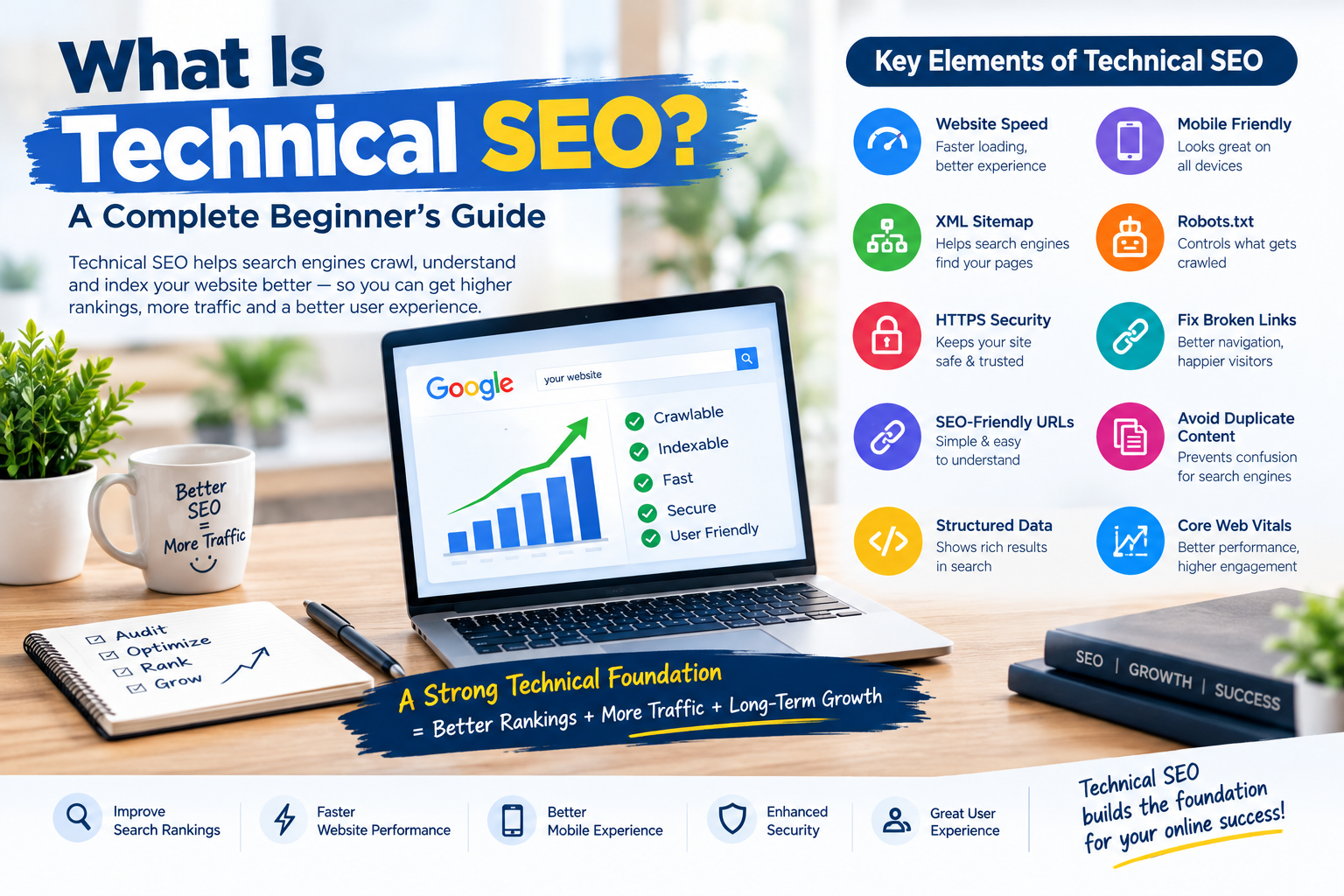
In today’s competitive digital world, having a beautiful website and high-quality content is not always enough to rank on Google.
Your website also needs to be technically strong.
This is where Technical SEO comes in.
Technical SEO helps search engines such as Google crawl, understand and index your website more effectively. A technically well-optimised website can also provide a better user experience, faster loading times and improved search engine visibility.
In this guide, we’ll explain what Technical SEO is, why it is important and the key elements you need to optimise.
What Is Technical SEO?
Technical SEO refers to the process of optimising the technical aspects of a website to help search engines crawl, index and rank its pages effectively.
Unlike traditional SEO, which focuses primarily on content and keywords, Technical SEO focuses on the structure and technical performance of your website.
Some important areas of Technical SEO include:
- Website speed
- Mobile responsiveness
- Website security
- XML sitemaps
- Robots.txt files
- Structured data
- URL structure
- Broken links
- Duplicate content
- Crawlability and indexability
A strong Technical SEO foundation makes it easier for search engines to understand your website.
Why Is Technical SEO Important?
Search engines use automated bots to crawl millions of websites.
If your website has technical problems, search engines may struggle to access, understand or index your content.
This can negatively affect your search rankings.
Technical SEO can help you:
Improve Search Engine Rankings
A properly optimised website gives search engines a better understanding of your pages and content.
Improve Website Speed
Slow-loading websites can create a poor user experience. Technical optimisation can help improve loading performance.
Improve Mobile Experience
More people now browse websites using mobile devices. Your website should work smoothly across desktops, tablets and smartphones.
Help Search Engines Crawl Your Website
Proper technical optimisation ensures that important pages can be discovered and indexed.
Improve User Experience
A fast, secure and well-structured website creates a better experience for visitors.
Key Elements of Technical SEO
1. Website Speed
Website speed is one of the most important aspects of Technical SEO.
Visitors generally expect websites to load quickly. A slow website may result in visitors leaving before exploring your content or products.
Some ways to improve website speed include:
- Optimising images
- Using website caching
- Reducing unnecessary code
- Using a reliable hosting provider
- Compressing CSS and JavaScript files
- Using a Content Delivery Network (CDN)
A faster website can improve both user experience and overall website performance.
2. Mobile-Friendly Design
Your website should provide a good experience on mobile devices.
A responsive website automatically adjusts its layout according to different screen sizes.
Make sure that:
- Text is easy to read
- Buttons are easy to click
- Images fit correctly on smaller screens
- Navigation works properly
- Pages load quickly
A mobile-friendly website is essential for modern SEO.
3. XML Sitemap
An XML sitemap is a file that helps search engines discover important pages on your website.
It provides search engines with information about your website’s structure.
A sitemap is particularly useful for:
- Large websites
- New websites
- Websites with many pages
- Ecommerce websites
- Websites with complex navigation
Make sure your important pages are included in your XML sitemap.
4. Robots.txt File
The robots.txt file provides instructions to search engine crawlers.
It can help control which parts of your website should or should not be crawled.
However, it is important to configure this file correctly.
A mistake in your robots.txt file could accidentally prevent search engines from accessing important pages.
5. HTTPS and Website Security
Website security is extremely important.
Websites using HTTPS provide a secure connection between the website and its visitors.
An SSL certificate helps protect user information and improves website security.
If your website still uses HTTP instead of HTTPS, you should consider moving to a secure connection.
6. Fix Broken Links
Broken links lead visitors to pages that no longer exist.
They can create a poor user experience and make it difficult for visitors to navigate your website.
Regularly check your website for:
- Broken internal links
- Broken external links
- Missing images
- صفحات returning errors
If a page has permanently moved, consider using a proper redirect.
7. Use SEO-Friendly URLs
Your website URLs should be simple, clear and easy to understand.
For example:
Good URL:
yourwebsite.com/technical-seo-guide
Less user-friendly URL:
yourwebsite.com/page?id=12345
Clear URLs can help both users and search engines understand the content of a page.
8. Fix Duplicate Content Issues
Duplicate content occurs when identical or very similar content appears on multiple URLs.
This can create confusion for search engines.
Some common causes include:
- Multiple versions of the same page
- Product pages with similar content
- Incorrect URL parameters
- HTTP and HTTPS versions
- WWW and non-WWW versions
Proper redirects and canonical tags can help manage duplicate content issues.
9. Structured Data and Schema Markup
Structured data helps search engines better understand the information on your website.
For example, schema markup can provide additional information about:
- Articles
- Products
- Businesses
- Reviews
- FAQs
- Events
Properly implemented structured data may help search engines display your content in enhanced search results.
10. Core Web Performance
Website performance is an important part of the overall user experience.
You should regularly monitor factors such as:
- Loading performance
- Page responsiveness
- Visual stability
Large images, unnecessary scripts and poor-quality hosting can negatively affect website performance.